
Perspective and Scale
A SketchUp model’s view can affect both perspective and scale. You can choose any of SketchUp’s standard views in LayOut in the SketchUp Model panel under Camera.
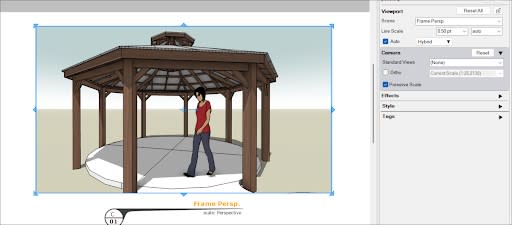
By default, most SketchUp models are in Perspective view. Changing to Parallel Projection, an orthographic view, can better show a model’s scale. To switch to an orthographic view:
Select your SketchUp model.
In the SketchUp Model panel click Ortho .
Using the dropdown, select a scale preset from the list or select Custom and enter your own custom scale.
Clicking Preserve Scale makes sure your model scales when you change the size of its bounding box.
You can also access most view and scale options from the context menu.
Tip: You can further customize your scale options in the Scales section of Preferences. For more information see Setting Preferences.