
席位管理
Last updated: 4月 11, 2026•1 分钟 read.
自 2025 年 4 月起,SketchUp 会将所有具名用户的订阅产品从帐户管理门户 (AMP) 迁移至 Trimble 全新的管理控制台。 管理控制台是您管理所有 Trimble 产品及相关帐户(包括 SketchUp)的地方。 每个 SketchUp 订阅产品都将逐步完成迁移。如果您的帐户关联了多个订阅产品,在迁移期间您可能需要同时使用帐户管理门户和管理控制台。 当您的帐户列入迁移计划时,您会收到电子邮件通知。如果您的帐户已经完成迁移,或者您想确保为最终迁移做好充分准备,请查看我们关于 Trimble 全新管理控制台的相关文章
Trimble 帐户管理门户 (AMP) 可帮助管理帐户可用的席位。仅帐户所有者或二级帐户所有者可以添加或减少席位。管理席位时,可以在 Plan Settings(计划设置)页面上的相关订阅列表中查看待生效的变更。
添加席位
单击 Edit Plan Settings(编辑计划设置)。
单击 Manage Seats(管理席位) ,然后选择 Add seats to this plan(为此计划添加席位) 。
添加所需的席位数量,然后单击 Continue(继续) ,转至结账页面,完成购买。
移除席位
请注意: 移除席位将在下一个订阅续签日期生效。
单击 Edit Plan Settings(编辑计划设置)。
单击 Manage Seats(管理座位)。
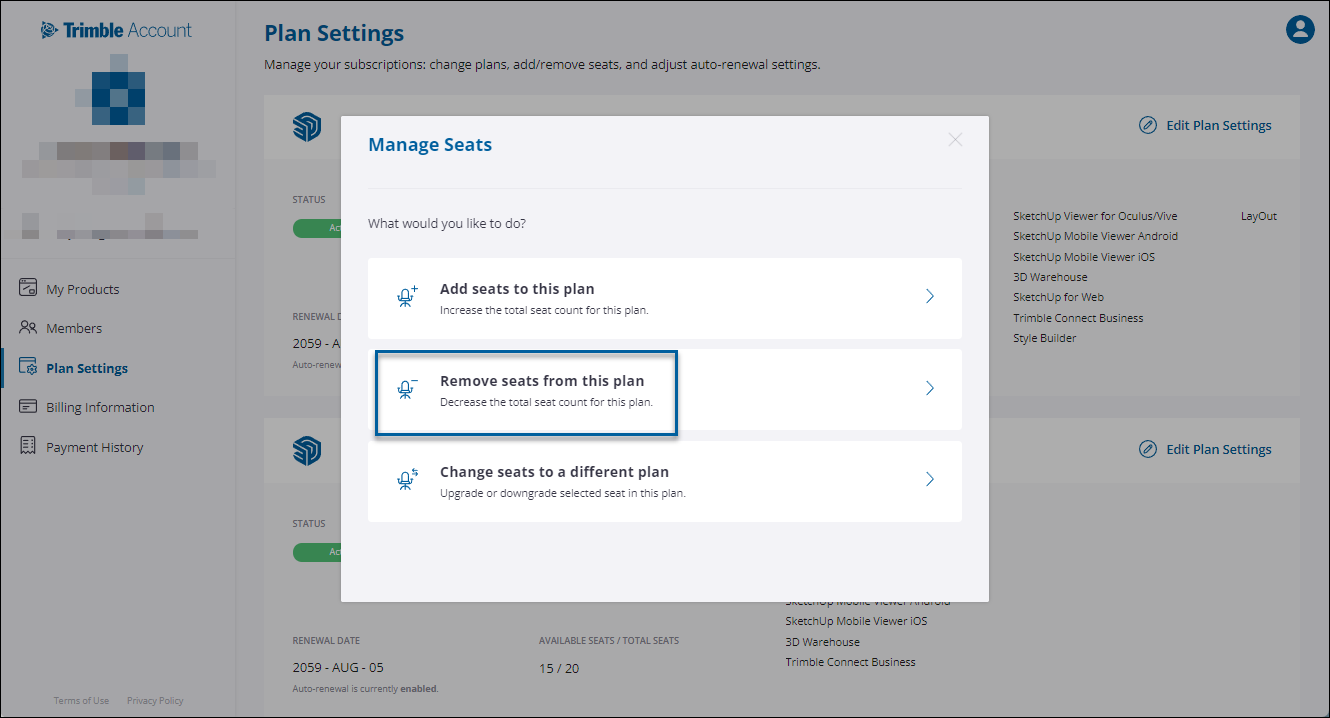
单击 Remove seats from this plan(移除此计划中的席位)。
从已分配席位的成员列表中,浏览或使用文本搜索框查找特定成员,并选择想要移除的席位。单击 Remove from Plan(从计划中移除) 。