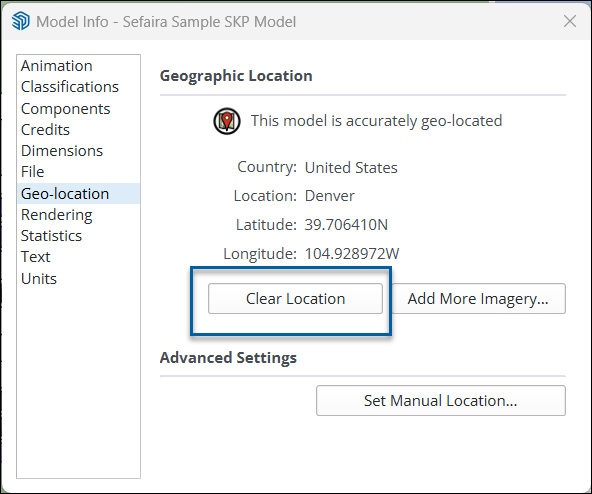
清除地理位置資料
Last updated: 4月 11, 2026•1 分鐘 read.
清除地理位置資料
您隨時都能使用「新增位置」或「模型資訊」將地理位置資料從您的模型中刪除。
使用「新增位置」清除資料
如欲使用「新增位置」清除資料:
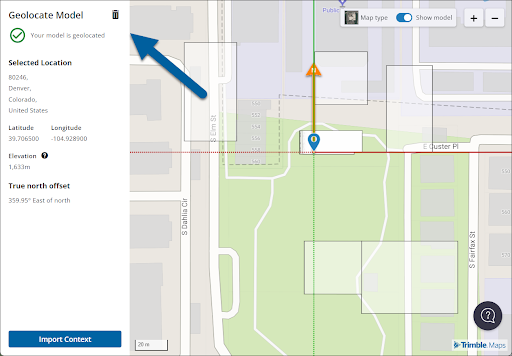
開啟「新增位置」。
按一下垃圾桶圖示。
在確認視窗中,您可以選擇同時重設北偏移值或清除任何匯入的背景資訊。那些選項都預設為啟用。
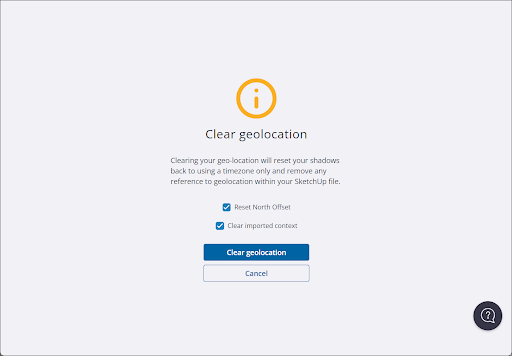
按一下 清除地理位置 來從您的模型中移除地理位置資料。若要返回,請按一下 取消 。
在「模型資訊」中清除資料
在「模型資訊」面板的地理位置區段中,您可以看到模型的地理位置資料。如欲清除所有資料,請按一下 清除位置 。