
Calculating Material Area
Last updated: 4月 11, 2026•1 分鐘 read.
If you want SketchUp to calculate the surface area painted with a material, you can context-click the material and select Area > Material .
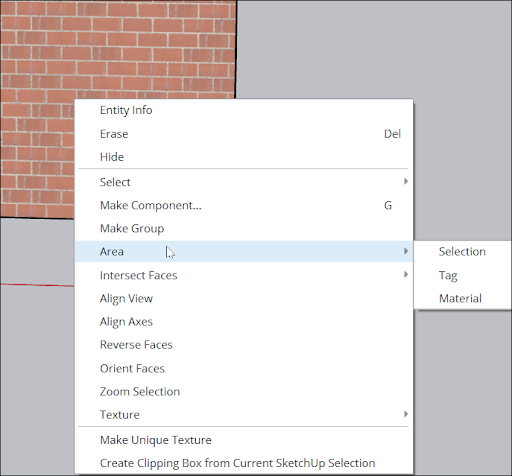
Tip : In Windows, you can also context-click the material in the Materials panel, and select Area from the menu. If the Area menu item is grey, the material isn’t applied to any faces.
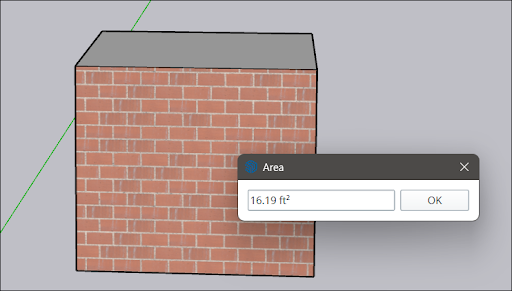
An Area dialog box shows the total area of faces to which the selected material is applied.
The units used depend on the units specified in your template. See Model Templates for details about changing your default units.
Using SketchUp’s classification tools, you can generate a report on materials in your whole model. See Classifying Objects for details.