
Shadows Panel
SketchUp for iPad's Shadows (  ) panel can help designate how parts of your model cast their shadows or even see how the sun would cast shadows on or around a geolocated model.
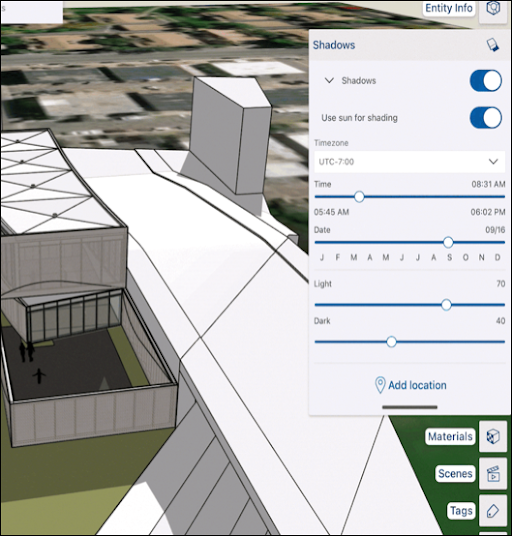
The Shadows panel helps you control shadows in your model using the following options:
Shadows - Toggles used to turn shadows off or on, and adjust how they are cast:
On Face - Cast shadows on other faces.
On Ground - Cast shadows on the ground plane.
From Edges - Controls whether edges that are not associated with a face cast a shadow
Use sun for shading - When toggled on, SketchUp's simulated sun shades parts of your model even if shadows are toggled off.
Timezone - A drop-down box allowing you to choose a specific time zone.
Time/Date - Sliders allowing you to select a specific time or date.
Light/Dark - Sliders controlling how light illuminated areas appear and how dark shaded or shadowed areas appear.
Add location - Opens a tool to help you geolocate your model.
Learn How to Use Add Location .
For more information on using shadows in your model, see Casting Real-World Shadows .