
SketchUp for Web
SketchUp for Web is a web-based, streamlined version of our desktop app that uses the same core technology to help you draw and create detailed and complex 3D models.
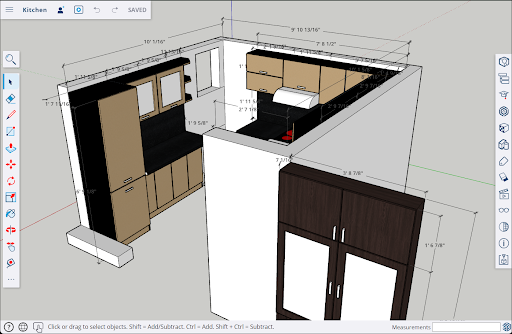
SketchUp for Web does not require a SketchUp subscription. All you need is a web browser, your Trimble ID, and your imagination to start modeling!
If you are new to SketchUp for Web, check out Getting Started for all the basics including:
What you need before using SketchUp for Web.
How to navigate the SketchUp for Web interface.
Features specific to SketchUp for Web.
Managing files with Trimble Connect.
Sharing your models safely with Link Sharing.
Once you know the basics, take a look at Using SketchUp for Web where we talk about:
The available Tools and how to find them.
Using Shortcuts.
Creating and editing your models.
Using the Print to Scale feature.
Using Add Location.
Even though you can use SketchUp for Web without a subscription, we do have an option that can enhance your experience. A SketchUp Go subscription adds several features not available to non-subscribers, including unlimited cloud storage in Trimble Connect, expanded functionality in SketchUp for Web, and even access to SketchUp for iPad. For more plan information and comparisons, take a look at SketchUp Plans and Pricing .