
Logging Out of SketchUp
The way you logout of SketchUp depends on what platform you are using.
Tip : You can only authorize or activate SketchUp on up to two devices at a time. Logging out of SketchUp on devices you aren’t using can help make sure you avoid getting an error that you have exceeded that limit. For more information about this policy and how to manage your activations, see Deauthorizing Devices .
Desktop
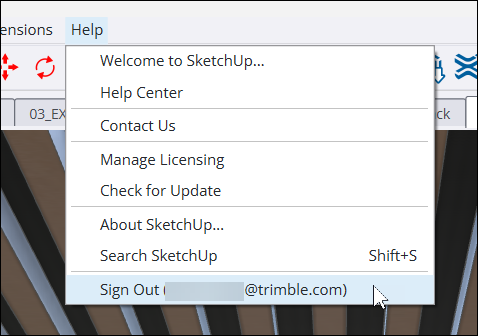
In SketchUp for Desktop , you can logout by clicking Help > Sign Out . Next to Sign Out you’ll see the email address or username of the current user.
Web and iPad
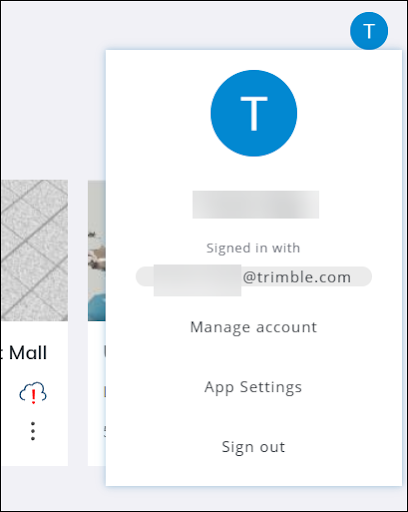
In SketchUp for Web or SketchUp for iPad , you can logout by clicking the profile icon in the upper right corner and selecting Sign Out .
After signing out, a message will appear on your web browser confirming you are now signed out.

After logging out, quit SketchUp completely. That way the next time you open SketchUp you’ll start fresh.