
Gescannte Räume organisieren, bearbeiten und freigeben
Beginning September 16, 2025, SketchUp Viewer for Meta Quest will no longer be available to download. For more information, see End of Support - Viewer for Meta Quest .
You can find scanned models in SketchUp Viewer in the Recent Models tab or the Scanned Spaces tab.
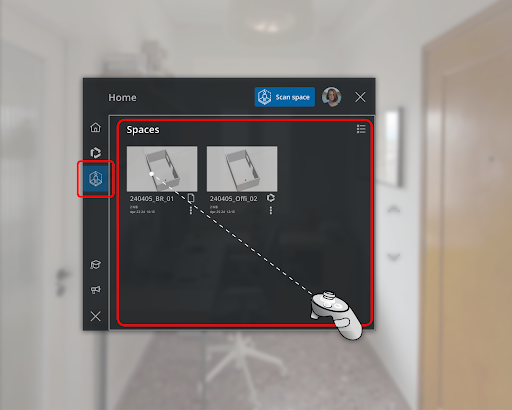
SketchUp Viewer names files using the following naming convention:
yyyy_mm_ddThh_mm_ss eg:2024_09_17T13_49_32.skp
You can always change this name in other SketchUp platforms or Trimble Connect.
Trimble Connect
If you are connected to the internet, any Scan Space files will be saved to Trimble Connect. If you aren’t connected, SketchUp Viewer will save the file locally until next time you are online. These files save to a Trimble Connect project named Scanned Spaces.
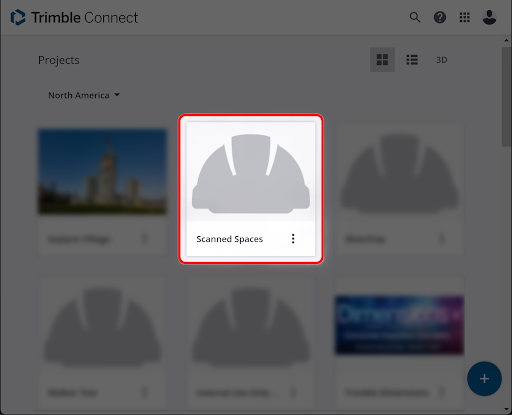
A Scanned Spaces tag will be assigned to your file to help you find them.
Because Scanned Spaces are saved to Trimble Connect, you can also access them from the Home page or Welcome Window in other versions of SketchUp.
Tip : In other versions of SketchUp you can save the initial scanned model as a reference. That way you can always align it in SketchUp Viewer after edits.