
Applying SketchUp Styles
Last updated: Apr. 10, 2026•1 Min. read.
SketchUp styles bundle preset line widths, colors, materials, and other similar effects. In LayOut, you can change a SketchUp model’s style in the styles section of the SketchUp Model panel.
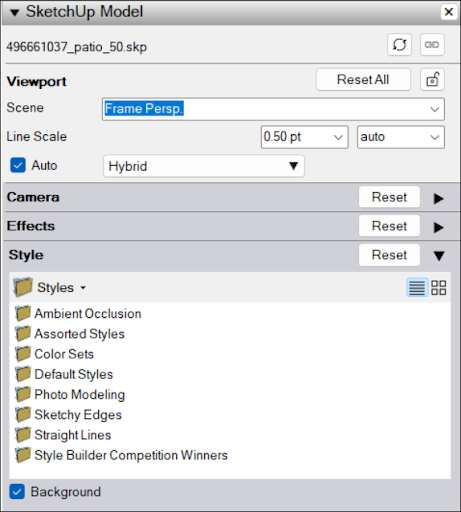
You can select from any of SketchUp’s default styles, or choose In Model to see any style already in your model. If the selected style includes a background, you can toggle it on or off by selecting Background.
For more information on how to use styles in SketchUp, see Choosing a Style.