
Lizenzmanagement
The Trimble Admin Console can help you add licenses to your account’s SketchUp subscriptions. Each license provides access to the products in that subscription to a user. Only an Account Owner or Secondary Account Owner can add licenses.
See Refunds and Cancellations for more information. If you need help, please contact the SketchUp support team for assistance .
Note: Each product license is intended for use by a single named user, a real person using their first name, last name, and email address, for the duration of the subscription term. The person using a license must match the person assigned to that license when purchasing or renewing a subscription. Single named-user licenses cannot be transferred to another user, but can be updated at specific times. For details see the Trimble User Assignment and Device Management Policy .
To add licenses, open the Admin Console and follow these steps:
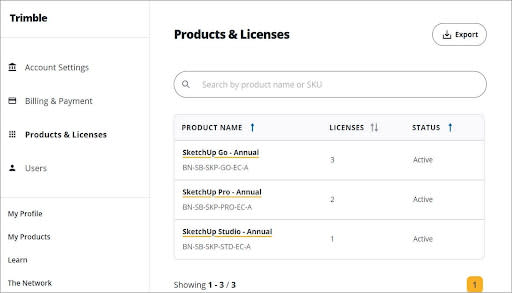
In the left navigation bar, click Products & Licenses .
Select the SketchUp subscription that you want to add licenses to.
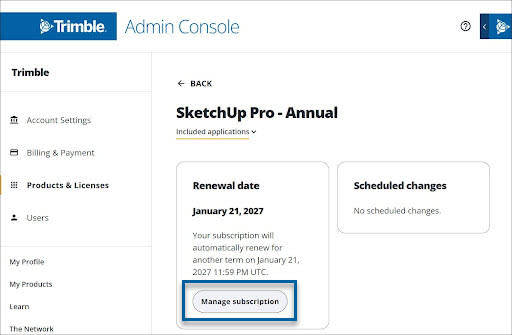
Click Manage Subscription .
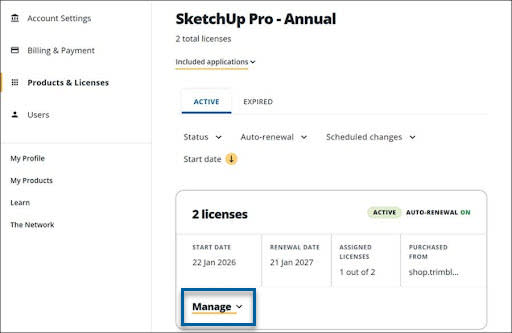
Click Manage to show additional subscription management options.
Note : If you click Close , these options will no longer appear.
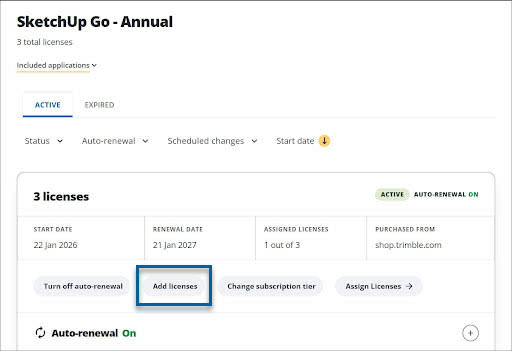
Click Add licenses .
Specify the number of licenses to add.

Click Continue to checkout to pay the prorated amount for your new licenses
Note : The new licenses will automatically have the same term (monthly or annual) and renewal date as the subscription. You will only be charged a prorated amount for the remainder of the current subscription.