
Uninstalling or Repairing SketchUp
Last updated: kwi 11, 2026•1 min read.
Uninstall
To uninstall SketchUp, please see Uninstalling SketchUp where you can find step-by-step instructions for both Windows and Mac users.
Repair
Windows users can run SketchUp's Repair option to help with missing or corrupt files, broken shortcuts, or registry errors.
Note : A repair option is not available to iOS users.
To repair your installation of SketchUp, follow these steps:
Open Settings and select Apps.
Select Installed Apps and locate Sketchup.
Click the context menu and select Modify . SketchUp's installation options will open.
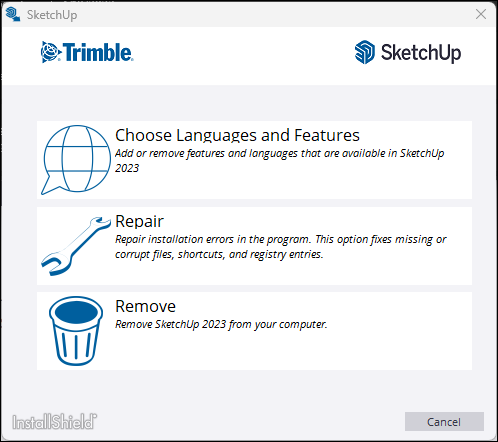
Select Repair to begin. The repair process may take several minutes to complete.
Select Finish .