
Sharing a Model in 3D Warehouse
3D Warehouse is all about sharing the models you create and those created by others. To help you share models with a broader audience you can either share a link to a model or embed a model in a website.
Tip : Before you share a link or embed a 3D model in a web page, read the 3D Warehouse Terms of Use .
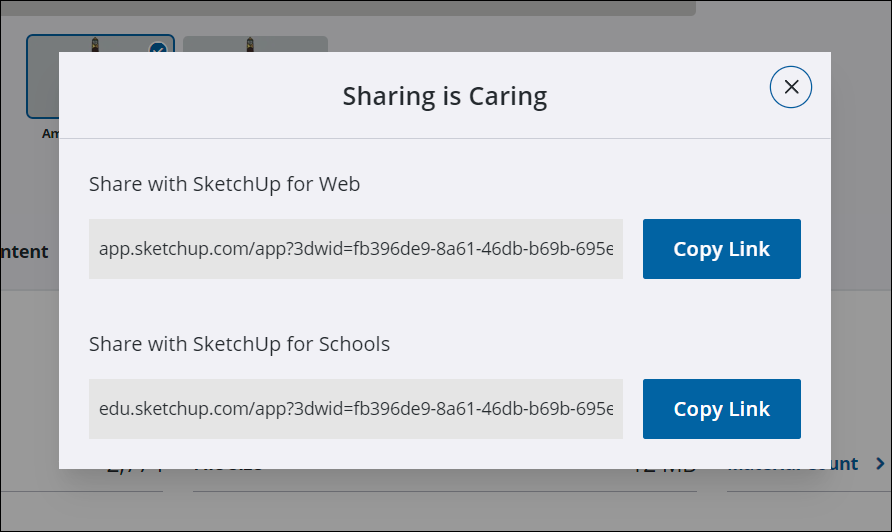
To share a link, click Share (  ) and select Copy Link for either SketchUp for Web or SketchUp for Schools.
To embed a 3D Warehouse model on a web page, follow these steps:
On the model details page, click Embed (
 ).
).In the window that opens click Copy to Clipboard to copy the code you need. You may want to save the code snippet to a text file.
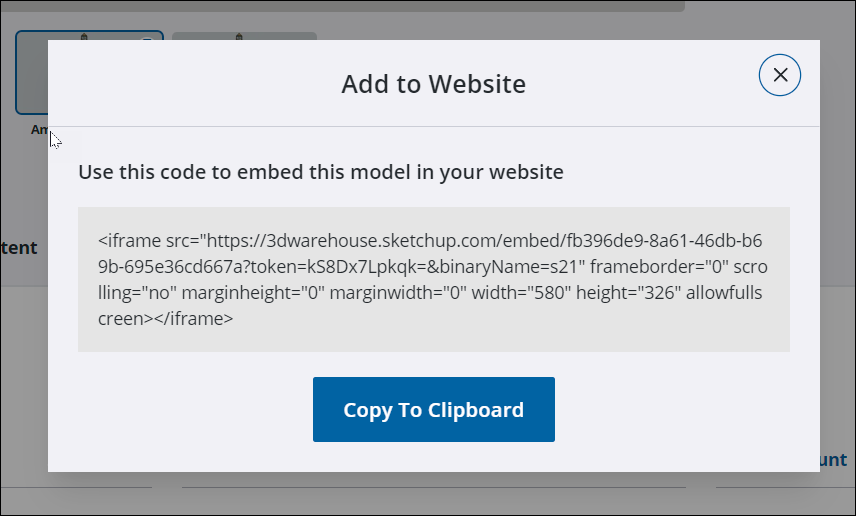
Tip: If you have experience with html you can change the attributes in the code to better suit the needs of your site.