
Dialog Boxes and Trays
Last updated: apr 10, 2026•1 min read.
Dialog Boxes and Trays
Sketchup organizes available features into modeless dialog boxes. Modeless dialog boxes help keep many SketchUp features, like Materials and Styles, easy to access while modeling.
In MacOS, dialog boxes appear as independent windows that can be moved around the modeling window as needed.
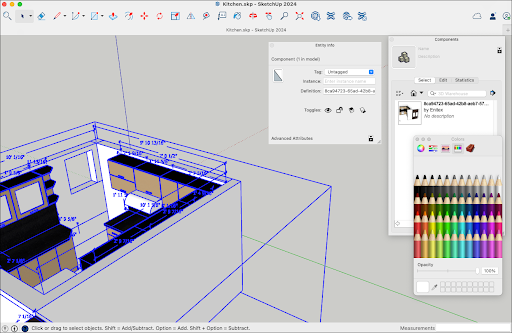
Available Dialog Boxes
The following dialog boxes are available:
Entity Info
Materials
Components
Styles
Tags
Scenes
Shadows
Fog
Match Photo
Soften Edges
Overlays
Instructor
Outliner